
The History page is Pack Perfect’s record-keeping area. It has two tabs:
Completed Batches — the batches that are fully done — and Action
History — an audit log of everything that happened in the app.
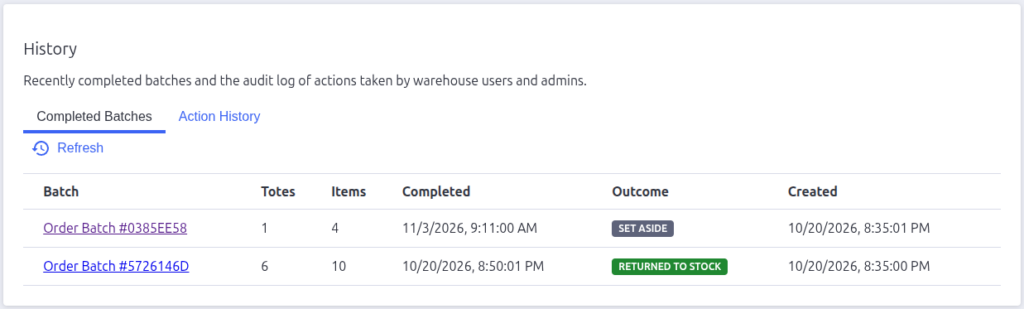
Completed Batches
A table of every batch that reached the Complete status, newest first:
| Column | What it shows |
|---|---|
| Batch | The batch name — click it for the full batch detail page |
| Totes / Items | What the batch contained |
| Completed | When it finished |
| Outcome | How it ended — a badge: Packed (nothing left over), Returned to stock, or Set aside |
| Created | When the batch was created |
Click Refresh to reload after finishing new batches.
Action History
The audit log — a record of actions taken by admins and warehouse staff.
Records are kept for 90 days.
Filters
Four filters narrow the list:
- Object — the kind of thing acted on: Batches, Totes, Order shipments,
Prepared shipments, Packing rules, Packing photos, Cart layouts, Warehouse
users, Login codes, Sessions, or Settings. - Source — where the action came from: Admin or Warehouse app.
- Object ID — paste a specific ID (e.g. a batch ID) to see everything
that happened to it. - User — filter by an email address.
The list reloads automatically as you type/select.
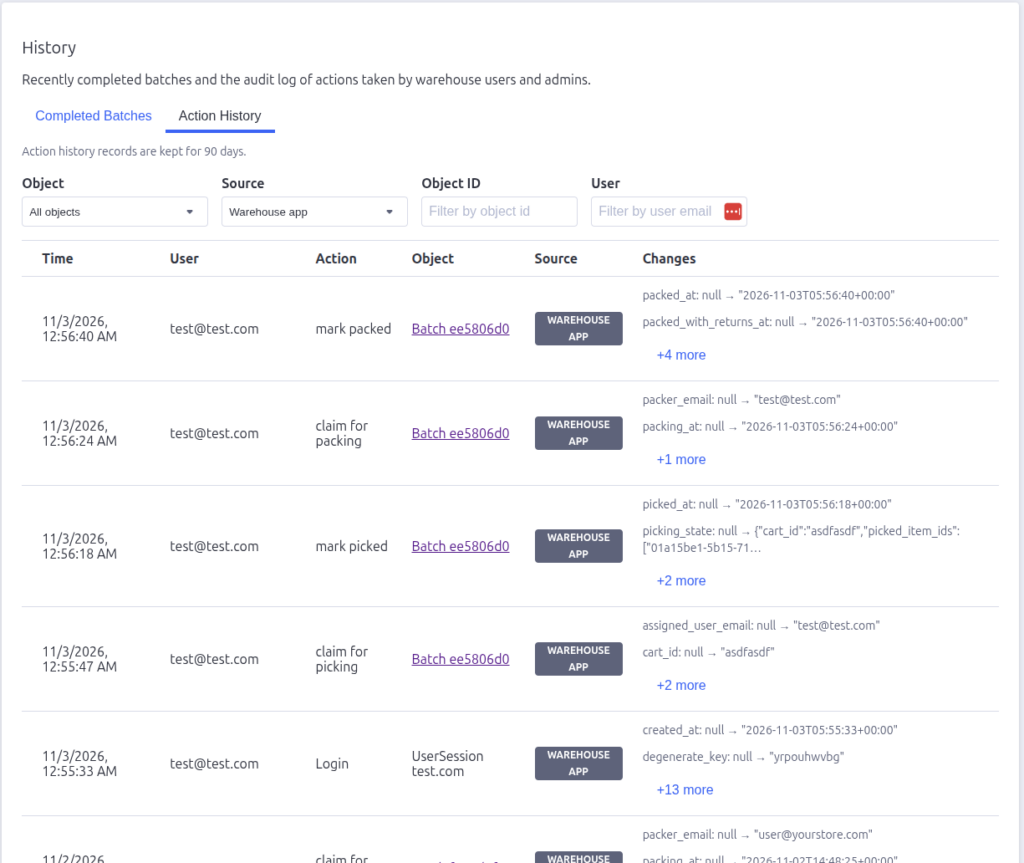
The log
| Column | What it shows |
|---|---|
| Time | When the action happened |
| User | Who did it (email) |
| Action | What they did — Created, Updated, Deleted, Login, and workflow actions like marking picked or returned |
| Object | What was acted on — batch entries link to the batch detail page |
| Source | Admin or Warehouse app badge |
| Changes | What changed — shown as field: old → new. Long changes collapse to a preview; click +N more / Show more to expand |
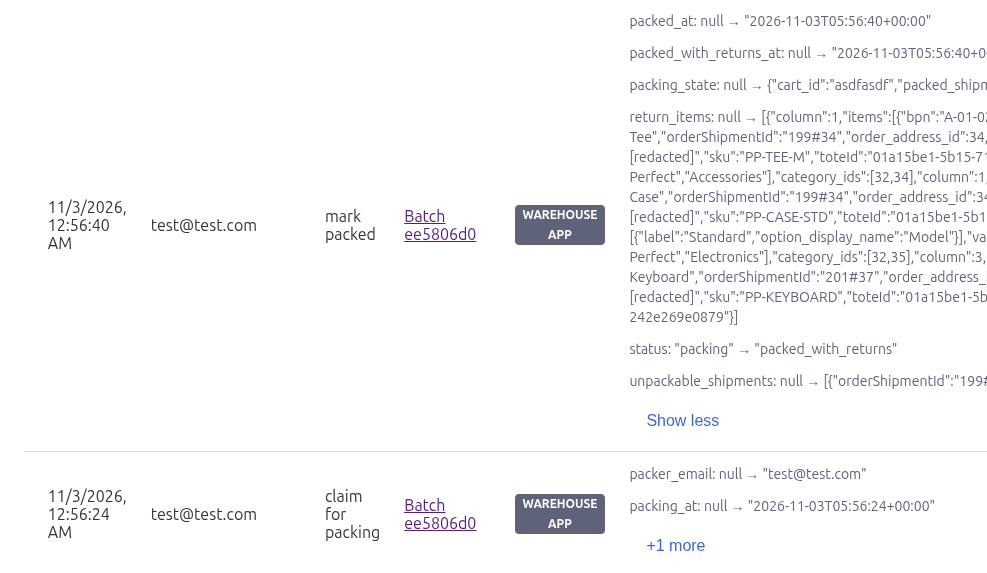
If there are more records than fit, a Load more button appears at the
bottom to fetch the next page.
What you can use it for
- “Who parked this batch?” — filter Object = Batches, Object ID = the batch
ID, and look for the park action. - “When was this shipment converted?” — filter Object = Prepared shipments or
Order shipments. - “Did the packer mark it packed, or an admin?” — check the Source column:
Warehouse app vs Admin. - “What exactly changed in settings?” — expand the Changes cell on the
Settings update entry.

Pack Perfect
Pack Perfect is coming soon! Email support@athousandapps.com to be added to the list and we’ll let you know as soon as it’s released.